To manually add a simple Nyscheck Summer Academy Certificate link to your Linkedin profile just follow these 4 steps:
Step 1:
Go to your Linkedin profile and scroll down to Licenses and Certificates. It is beneath Education.
If you don’t see the section click on the “Add Section” button under your name and you’ll see the option to add the Licenses and Certificates section.

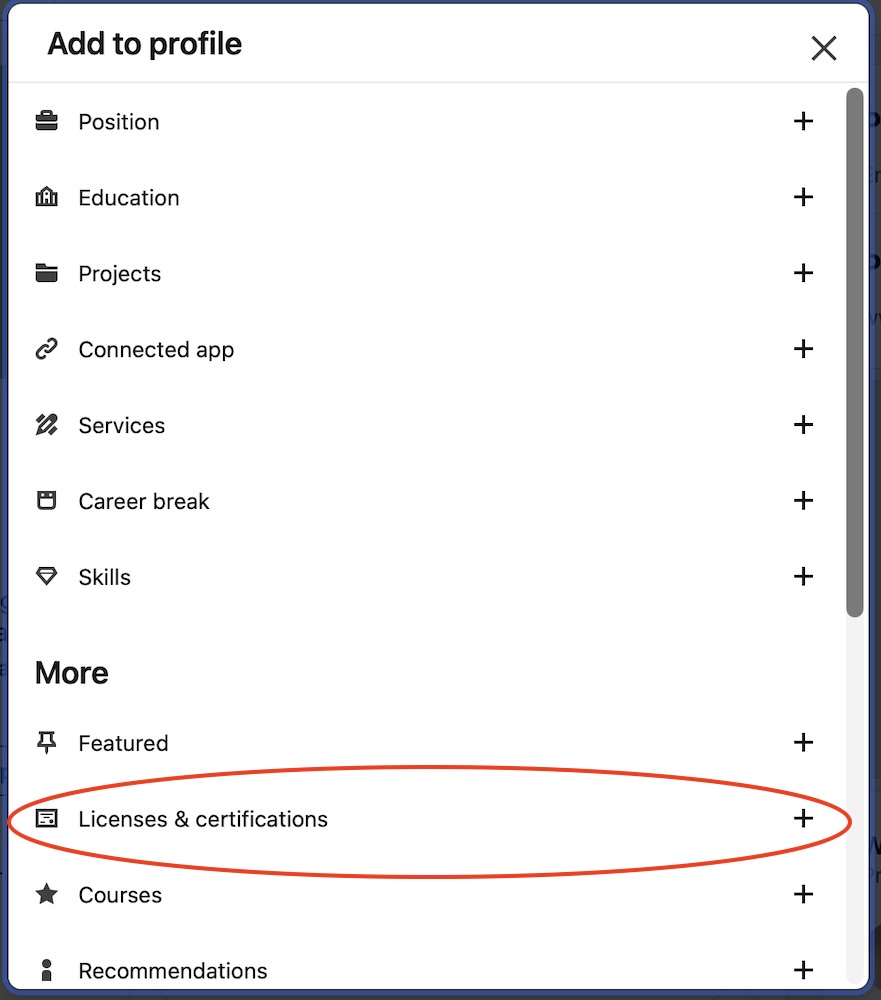
If you are adding a section skip to Step 3.
Step 2:
Click on the + symbol to add a new certificate.
Step 3:
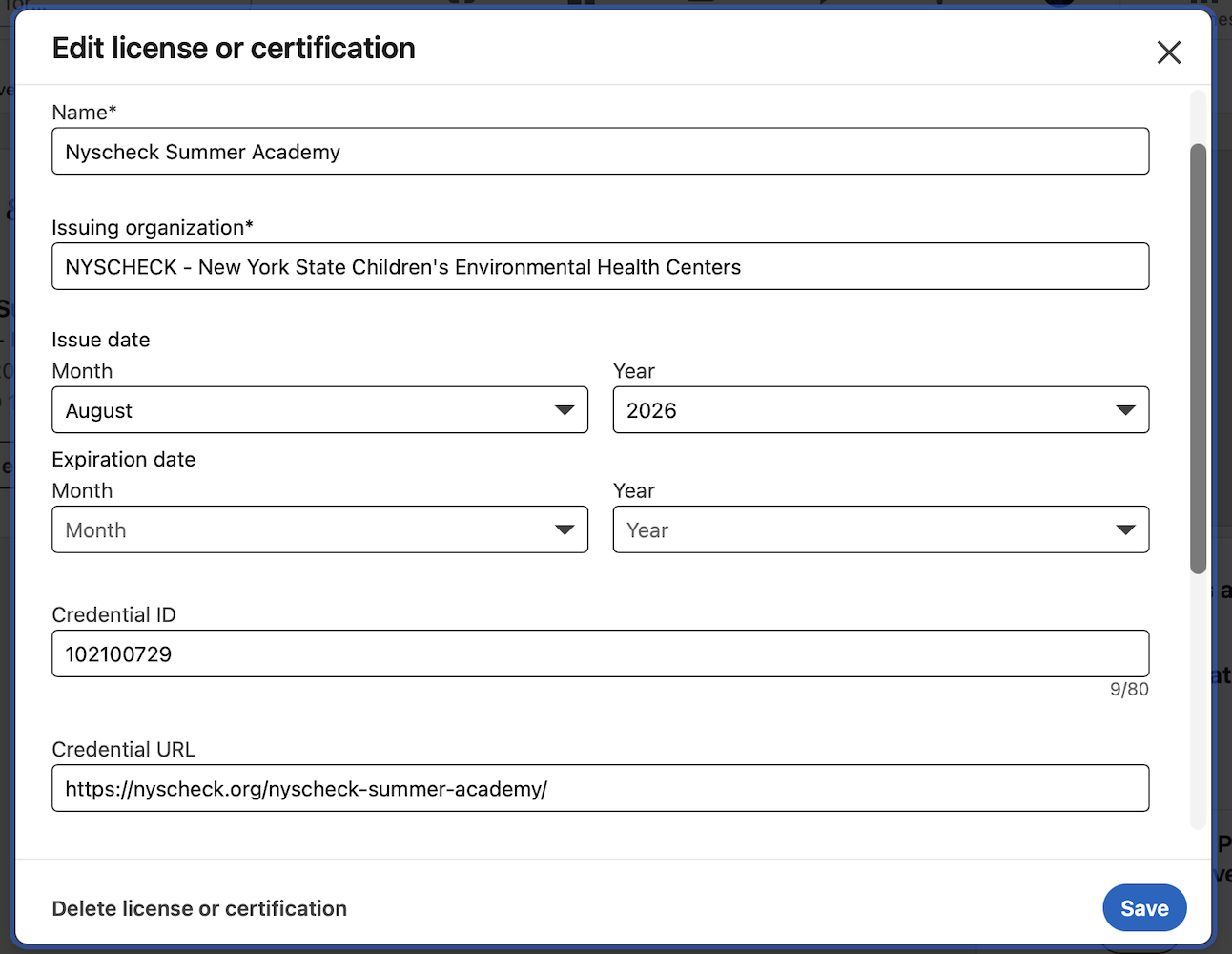
Add the following information into the new listing.
Feel free to cut and paste.
Name: Nyscheck Summer Academy
Issuing Organization: NYSCHECK – New York State Children’s Environmental Health Centers
Issue Date: August 2026 (Alumni can add a past year)
Credential ID: 102100729
Credential URL: https://nyscheck.org/nyscheck-summer-academy/
Step 4:
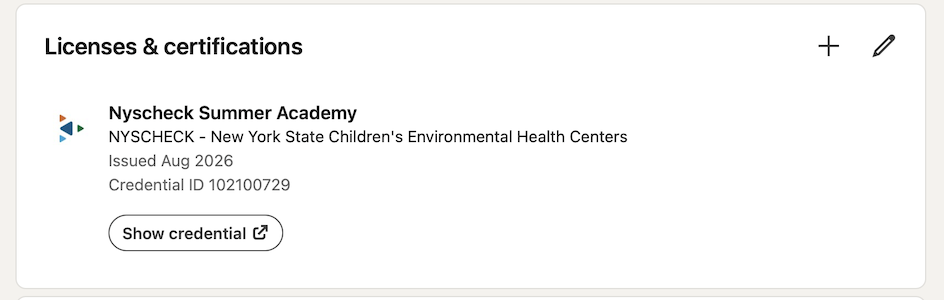
Click Save. You should now see the Nyscheck Logo and a link to the NSA program under Licences and Certificates.